Generating the Professional Services Invoice
This topic is intended for Independent pharmacies only and is not applicable to Rexall pharmacies.
Once the Professional Services module has been enabled and the Professional Services have been set up in List Maintenance, you can generate Professional Services Invoices.
To generate a Professional Services Invoice:
-
Do one of the following:
-
From the Workbench, select a prescription for the patient.
-
From the Patient Profile, select a prescription from the Profile.
-
-
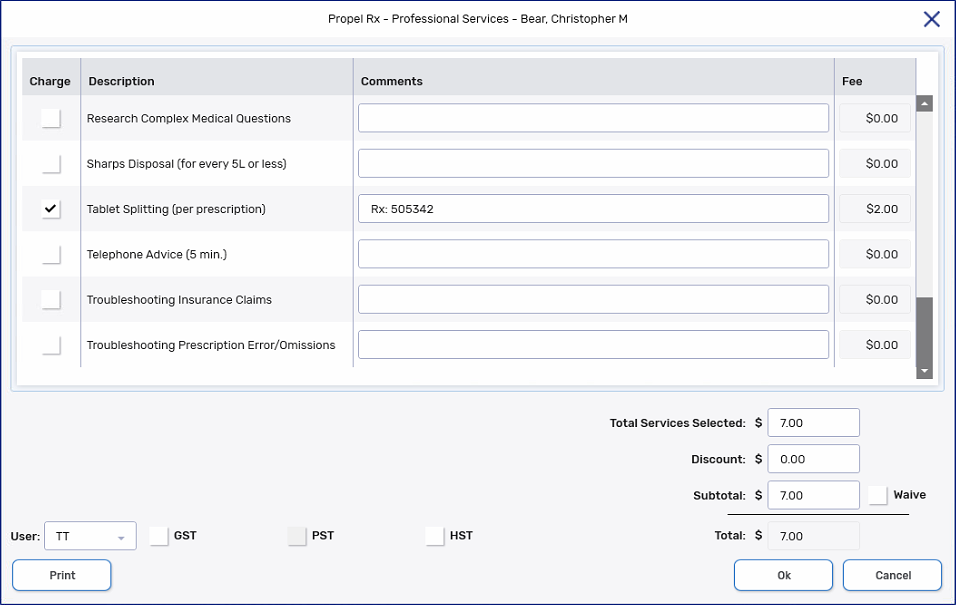
Select Rx > PFS > Prof Services. The Professional Services window opens.
-
Select the Charge checkbox(es) for the Professional Service(s) you want to charge the patient. As the Charges are selected, the Total Services Selected, Discount, Subtotal, and Total are adjusted, adding the Fee from each service.
-
Optional: Enter any comments for the Professional Service.
You cannot enter manual comments for Delivery and prescription Renewal Professional Services.
-
If you are billing a Miscellaneous or Health Screening Clinic Participation Professional Service, you may edit the Fee if needed. Otherwise, fees must be adjusted from List Maintenance > Professional Services.
-
Dropdown the User field and choose the appropriate user if not already selected.
-
If you would like to charge tax for the Professional Service, select the applicable tax checkbox(es) (i.e., GST, PST, HST). The calculated tax is associated with your pharmacy's province.
-
If you would like to waive the Subtotal, select the Waive checkbox.
-
Do one of the following:
-
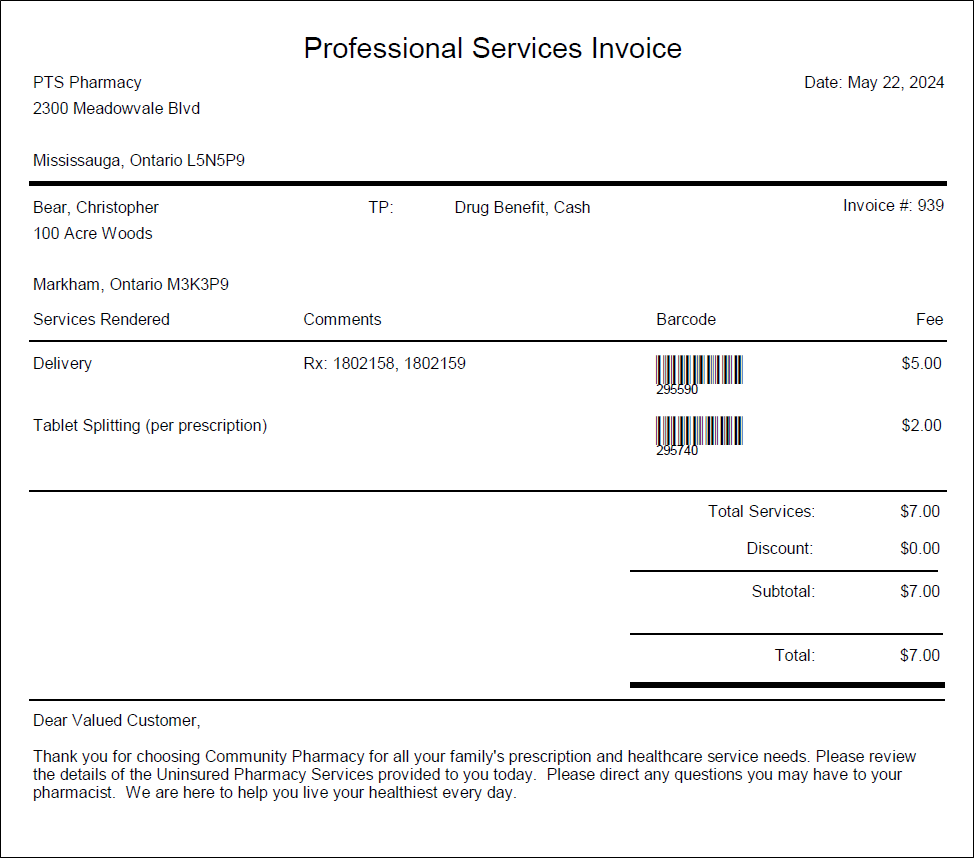
Select Print to finalize and print a copy of the invoice. This will save the invoice in the Patient Folder History tab.
-
Select OK to return to the invoice later. Selecting OK without printing leaves the Professional Service(s) as open. You will be prompted upon opening the Patient Folder if the Professional Services Invoice hasn't been printed. For more information, see Prompting for a Pending Professional Services Invoice.
-